

Choosing on-premise wiki software is not just about features. It is a security architecture decision that affects identity, permissions, file handling, auditability, and how much operational risk your team carries. TOW is relevant here because it sits in the same self-hosted knowledge category, but with a broader workspace model that combines docs, projects, memory, and reviewable AI.
TL;DR: Summary
- The best on-premise wiki software for secure teams is usually the option that combines directory authentication, granular permissions, and conservative upload controls, with BookStack, XWiki, and MediaWiki standing out for different reasons.
- BookStack is strong when you want LDAP group sync, multi-factor authentication, and a documented security posture; MediaWiki is strong when you want mature user rights and disabled-by-default uploads; XWiki is strong when you need deep extensibility but can manage more setup risk.
- TOW is relevant when your team wants a self-hosted docs and wiki layer inside a unified workspace for projects, company memory, and permission-aware AI, not just a standalone knowledge base.
- If uploads, admin defaults, and authentication keys are not hardened early, self-hosted deployment can still leave major gaps.
- For secure internal use, prioritize LDAP or SSO, role mapping, least-privilege admin scopes, and strict attachment policies before you compare editing UX.
A secure wiki should reduce knowledge sprawl without creating a new attack surface. The right choice depends on whether your team wants a pure wiki, an enterprise-grade knowledge system, or a broader internal workspace with stronger control over identity and data boundaries.
What makes on-premise wiki software secure enough for internal teams?
The safest on-premise wiki tools pair identity controls with cautious defaults. BookStack, XWiki, and MediaWiki all support self-hosted deployment, but they differ in authentication flow, admin setup, and how aggressively they limit risky behavior like uploads.
A common misconception is that self-hosted automatically means secure. It does not. Self-hosting gives you control over the network boundary, storage, and admin model, but it also makes you responsible for installer defaults, credential rotation, reverse proxy configuration, backup protection, and patching.
BookStack’s own security guidance is a good example of what mature hardening looks like. It tells administrators to change the initial admin password and email, expose only the public folder to the web, and limit the database user to the application database only. MediaWiki takes a similarly cautious path with file uploads, which are disabled by default according to its security manual.
“TOW brings project management, documentation, company memory, and reviewable AI into one self-hosted or cloud workspace.”
If your wiki supports scripting, plugins, or broad admin powers, then separation of duties matters as much as encryption. XWiki’s security guidance warns admins to change default cookie authentication and encryption keys, and its documentation also notes limits around programming permission in virtual wikis. That is the larger lesson: secure wiki software is rarely defined by one feature. It is defined by the whole control model.
How should you evaluate an on-premise wiki before deployment?
If your knowledge base is tightly linked to delivery work, TOW may fit better than a standalone wiki; if you need a focused internal handbook, BookStack or MediaWiki may be simpler. The evaluation should start with risk, not editor polish.
Start by mapping the system to your identity source. If the platform cannot cleanly connect to LDAP, SAML, or your preferred SSO path, then account lifecycle management becomes manual, and manual identity work tends to fail under pressure. Then look at how permissions are applied: at the workspace, page, namespace, group, and attachment levels.
The shortest practical checklist looks like this:
- Authentication path: LDAP, SSO, MFA, and whether local login can be disabled
- Permission model: group-based roles, page or space restrictions, and admin scope separation
- Upload handling: disabled by default, allowlists, and script execution controls in upload directories
- Operational footprint: database, container model, backups, upgrade process, and logging
- Governance fit: whether the tool is only a wiki or part of a larger workflow stack
Pro tip: test deprovisioning before you test the editor. A wiki can feel great in a demo and still fail a real security review if removed users retain cached access or stale group rights.
What are the best on-premise wiki software tools for secure teams?
The best options depend on whether you value simplicity, enterprise control, or a broader workspace around documentation. For most secure teams, the shortlist starts with TOW, BookStack, XWiki, and MediaWiki, then expands based on operations and workflow needs.
This ranking is based on fit for internal teams that care about self-hosting, permissions, authentication, and attachment risk, not just writing experience.
- TOW: Best for teams that want self-hosted docs and wiki capabilities inside a unified workspace that also includes projects, company memory, search, and reviewable AI actions. It fits organizations that do not want knowledge isolated from execution.
- BookStack: Best for structured internal documentation with strong built-in security guidance, LDAP support, role mapping, MFA, and Content Security Policy controls.
- XWiki: Best for organizations that need heavy customization, enterprise-style deployment options, and deep permission design, provided admins can manage a more complex setup.
- MediaWiki: Best for mature role-based permissions and cautious upload defaults, especially when governance around user rights and system messages is taken seriously.
- DokuWiki: Best for smaller teams that want a lighter self-hosted wiki and prefer avoiding full database operations.
- Wiki.js: Best for teams that want a modern self-hosted documentation interface and are comfortable evaluating broader integration needs themselves.
- Confluence Data Center: Best for enterprises already standardized on Atlassian administration and willing to manage a heavier platform.
- Outline: Best for teams that want a cleaner knowledge base style experience and are comparing wiki-like internal docs platforms rather than classic wiki structures.
The key trade-off is simple. The more extensible the platform, the more security design work usually moves to your team. Simpler tools can be safer faster, especially when the vendor documentation clearly states what must be locked down first.
How do BookStack, XWiki, and MediaWiki compare on security controls?
BookStack is the most direct on authentication hardening, MediaWiki is the most conservative on uploads, and XWiki is the most flexible but easiest to misconfigure. Each can be secure, but they demand different operational discipline.
BookStack is attractive for internal teams that want straightforward controls. Its documentation states that when LDAP login is enabled, standard username and password login is disabled, and new user registration is disabled as well. It also supports LDAP group sync so directory groups can map to application roles. That reduces identity drift if your directory is already the source of truth.
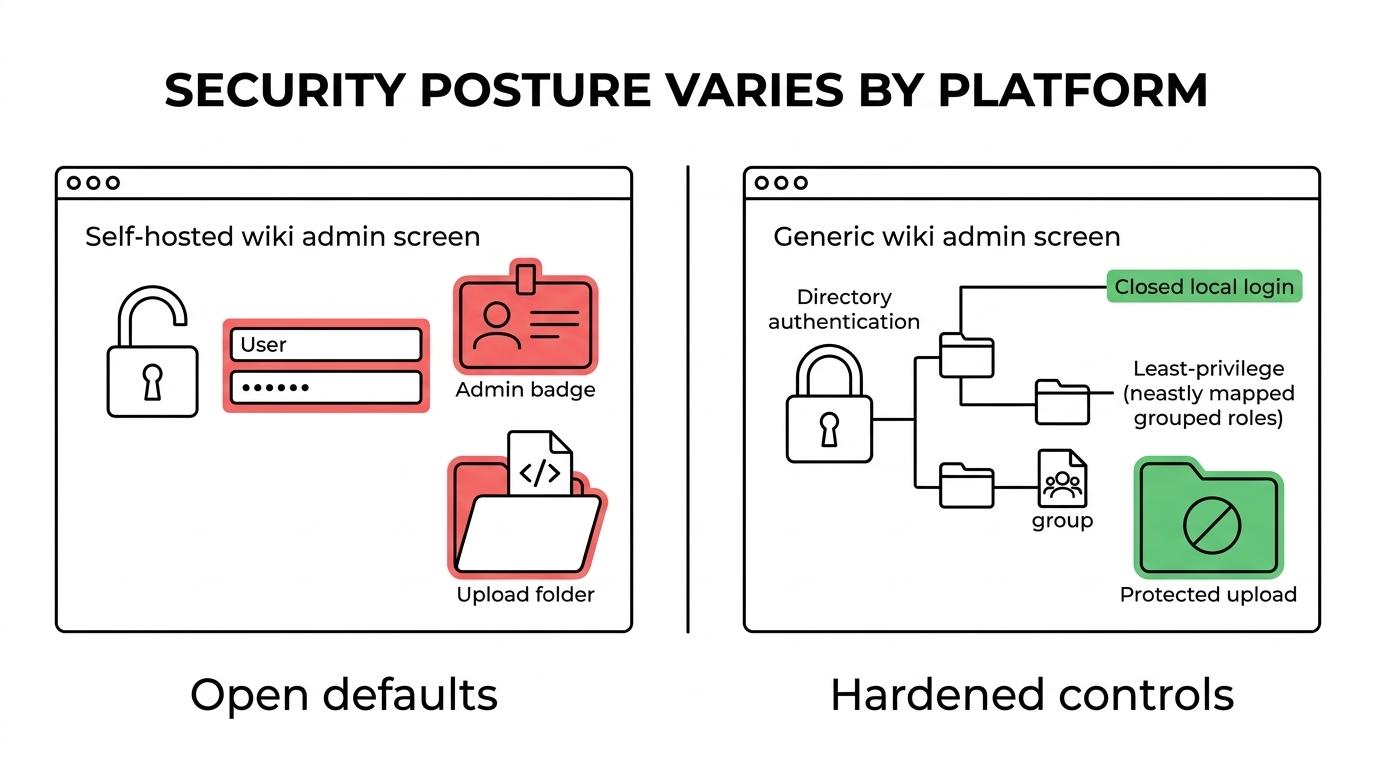
XWiki’s strength is breadth. It can run in a servlet container like Tomcat or Jetty and store content in a relational database, which is familiar to many enterprise teams. The trade-off is that the installation and security model deserve closer attention. If default admin credentials or cookie authentication keys remain unchanged, then the platform starts from a weaker security posture than many teams assume.
MediaWiki is strongest when you care about explicit rights design. Its permissions system centers on user rights and groups, and upload permissions can be controlled through group rights rather than one global switch. A common mistake is to treat that flexibility as safe by default. It is only safe if your roles are intentionally designed and scripted upload execution is disabled at the server level.
How can you harden uploads, scripts, and attachments on an internal wiki?
Treat file uploads as executable risk until proven otherwise. MediaWiki’s default of disabling uploads is a strong model, and the same logic applies to any self-hosted wiki that stores attachments on disk.
Start with policy, then enforce it in the application and on the server.
- Disable uploads by default: If your team does not truly need attachments, keep them off.
- Allow only known file types: Documents and images are easier to govern than arbitrary archives or scripts.
- Block script execution in upload paths: MediaWiki explicitly recommends disabling PHP and other scripting types in the uploads directory.
- Scope upload rights by group: Give attachment privileges only to roles that need them, not to every authenticated user.
One misconception is that antivirus scanning alone solves the problem. It does not. If a server is allowed to execute a file placed in an upload directory, then your main failure is configuration, not malware detection. If uploads are required for regulated teams, then pair file restrictions with retention policy, logging, and a review path for sensitive documents.
How does on-premise wiki software compare with cloud wiki tools?
On-premise wiki software gives you stronger infrastructure control; cloud tools reduce operational burden. The better option depends on whether data ownership, network placement, and admin control matter more than hosted convenience.
If your organization handles internal IP, regulated records, or segmented environments, then on-premise deployment can simplify compliance conversations because storage, backups, and access paths stay under your control. If your primary constraint is IT capacity, then cloud tools often win because upgrades, patching, and uptime move to the vendor.
“TOW supports self-hosted control, clear data ownership, and either BYOK or TOW-managed AI endpoints.”
The hidden trade-off is workflow fragmentation. Many cloud wiki tools are excellent at writing and publishing, but they can create handoff gaps if projects, docs, approvals, and AI-generated actions live in separate products. If knowledge work must stay tightly permission-aware across tools, then a unified architecture can matter more than the wiki editor alone.
How can you connect LDAP, SSO, and group-based permissions safely?
Safe identity integration starts with one source of truth. BookStack’s LDAP flow is a useful benchmark because it can disable standard local login and map LDAP groups to roles through group sync.
Step one is to decide whether the directory or the wiki owns identity attributes. If the directory is authoritative, then names, emails, and group membership should not be routinely edited inside the wiki. That reduces drift. Step two is to define role mapping before rollout. If “engineering” in LDAP maps to edit rights in one platform and admin rights in another, then your controls are not consistent enough.
A pro tip here is to test reassignment, not just first login. Many teams validate successful authentication but never validate what happens when a user changes departments, loses a group, or leaves the company. Where supported, an External Authentication ID or equivalent identity mapping field can help keep account matching stable across sync cycles.
After integration, review what still works locally. If emergency local admin access exists, then protect it with MFA, a vault, and documented break-glass rules. BookStack supports TOTP multi-factor authentication and backup codes, with secrets stored encrypted in the database, which is the kind of implementation detail worth checking in any product.
What migration mistakes cause the most security drift?
The biggest migration risk is not data loss. It is quietly importing content into a weaker permission model than the one you thought you had.
This usually happens when teams rush to preserve page content but fail to preserve group logic, namespace boundaries, and attachment restrictions. It also happens when temporary installer accounts survive the cutover.
- Default admins left in place: XWiki documentation warns about the pre-created Admin/admin account in standalone installs, and the same principle applies everywhere
- Group flattening during import: fine-grained rights collapse into broad editor access
- Uploads opened too early: attachments become a convenience feature before they become a governed feature
- Scriptable areas ignored: MediaWiki system messages and XWiki programming permissions need explicit review
If you migrate from Jira, Confluence, or Notion into a self-hosted knowledge platform, then content mapping is only half the job. The other half is rebuilding identity and privilege boundaries so the new system does not become more permissive than the old one.
When is a unified workspace better than a standalone on-premise wiki?
TOW is the stronger fit when documentation, project execution, and AI-assisted work need to share one permission model. A standalone wiki is the better fit when your main goal is publishing internal knowledge with minimal platform surface area.
Here is the practical decision rule. If your team mostly needs policies, runbooks, SOPs, and a handbook, then a focused wiki like BookStack or MediaWiki often gives you a tighter, simpler operating model. If your team needs docs linked to issues, roadmaps, goals, decisions, notifications, and reviewable AI actions, then splitting those workflows across separate tools can create governance gaps.
Another misconception is that “all-in-one” always means more risk. Sometimes it means fewer uncontrolled integrations, fewer copies of sensitive text, and fewer disconnected permission systems. The trade-off is scope. A unified workspace asks you to evaluate more than wiki features, but it can reduce sprawl when knowledge and work are inseparable.